DomainPunch Logo
   A Service of Softnik Technologies

Watch My Domains SED Standard or Basic for Small Teams

Simple Domain Monitoring for Website Owners and Small Teams

Keep track of your domains, DNS records, SSL/TLS certificates, landing pages, and important website signals from one browser-based dashboard.

Built for website owners, agencies, small businesses, consultants, and growing teams that need practical domain oversight without enterprise deployment complexity.

  • Domain Expiry Tracking
  • DNS Records
  • SSL/TLS Certificates
  • Website Checks
  • Self-Hosted Setup
  • Basic or Standard

There is one Watch My Domains SED download. The evaluation starts with Standard Edition features; the active edition is selected by your license code.

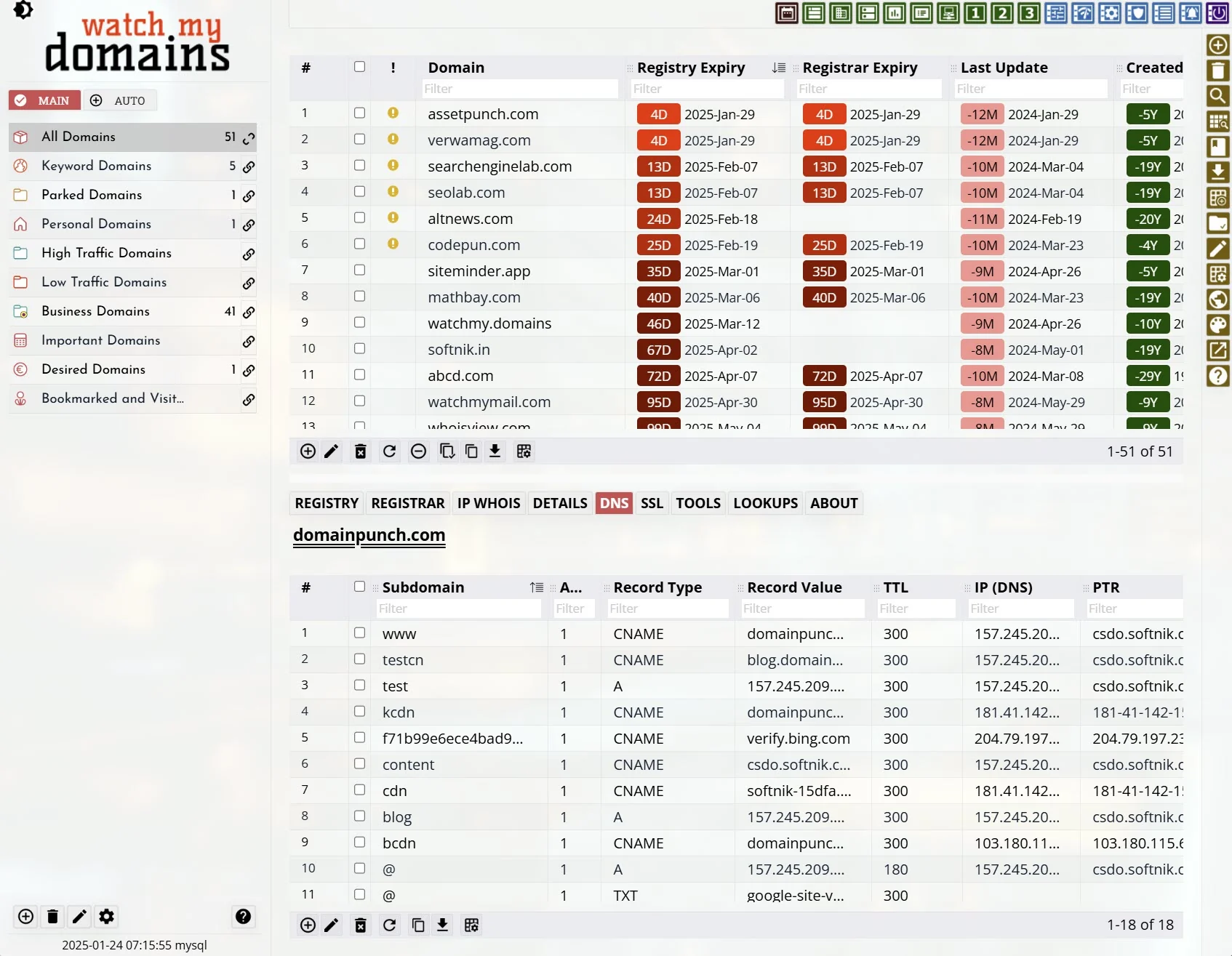
Screenshot of Watch My Domains SED Domain Table Interface

Track Domain Expiry, DNS Records, SSL/TLS Certificates, Landing Pages, and Related Website Details

Made for practical day-to-day domain monitoring.

Download Self-Hosted Evaluation

Small Team Highlights

  • One Place for Your Domains Maintain a clear list of domains and review important record details without relying on scattered spreadsheets.
  • DNS and SSL Visibility Check name servers, MX records, TXT records, SPF, DMARC, IP addresses, and SSL/TLS certificate details.
  • Website Owner Friendly Useful for small businesses, agencies, consultants, domain investors, and anyone managing a modest domain portfolio.
  • Self-Hosted Control Install it on your own server and keep your domain inventory under your control.
  • Room to Grow Start with Basic or Standard, then move to higher editions when you need managed hosting, SSO, advanced database support, or enterprise options.

Domain Oversight Without Enterprise Overhead

Watch My Domains SED gives smaller teams a dependable way to monitor and review domain-related information without setting up a large enterprise domain governance program. It gives you a central browser-based interface for keeping an eye on domains, DNS records, SSL/TLS certificate information, landing pages, and related website details.

Basic and Standard editions are practical starting points for website owners, agencies, small businesses, consultants, and domain portfolio managers who want better visibility than a spreadsheet, but do not need source-code access, SSO, managed deployment, or complex database infrastructure.

There is one Watch My Domains SED download. During evaluation, the product starts with Standard Edition features. After purchase, the edition is selected by your license code. Basic includes the Standard feature set except the ability to create multiple user accounts with different access rights.

Expiry
Tracking
DNS
Records
SSL/TLS
Details
Website
Checks
Simple
Storage
Easy
Upgrades

Download Self-Hosted Evaluation

Start with a self-hosted evaluation and see how the interface works with your own domain data.

Compare Editions

Review when Basic is enough and when Standard, Professional, or Enterprise editions may be a better fit.

View Full SED Platform

Explore the complete product page if you need advanced governance, deployment, database, or team features.

Audience

For Website Owners, Agencies, Consultants, and Small Teams

Practical editions for people who manage domains as part of running websites, client projects, or small online businesses.

  • Website Owners
  • Small Businesses
  • Web Agencies
  • IT Consultants
  • Domain Portfolio Owners

Basic and Standard editions are designed for users who need better domain visibility but do not need a large enterprise setup. They help you keep a clean inventory of domains and review the technical details that are easy to forget until something breaks or expires.

It is useful when domains are spread across client projects, registrars, hosting accounts, or internal records, and you want a single place to review the information that matters.
Domain Table Interface
CAPABILITIES
Domain Records
Monitoring

Keep Domain Information in One Clear Interface

Move beyond scattered spreadsheets, registrar notes, and manual checks.

  • Domain List
  • Important Dates
  • Record Details
  • Custom Data

Watch My Domains SED for Small Teams gives you a browser-based view of your domain records, making it easier to review key details without logging into multiple services for every check.

You can track domain names, record data, dates, notes, and related fields in a structured way, with the option to organize records into practical groups.

CAPABILITIES
Expiry Tracking

Stay Aware of Domain Dates Before They Become Urgent

Review expiry dates, creation dates, update dates, and registration details from one place.

  • Expiry Dates
  • Creation Dates
  • Updated Dates
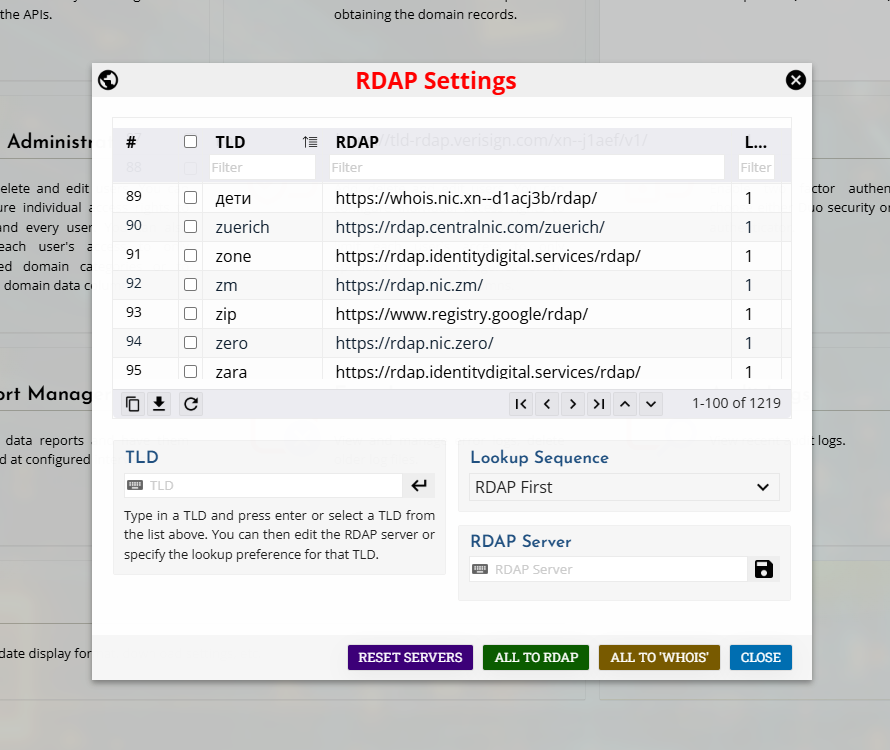
  • RDAP and Whois

Domain expiry is one of the most important pieces of information for any website owner or small team. Watch My Domains SED helps keep these dates visible alongside the rest of your domain data.

RDAP and Whois lookups can provide registration-related details where available, helping you maintain a more complete view of your portfolio.

RDAP Setup
CAPABILITIES
DNS and SSL Data
DNS and SSL

Review DNS Records and SSL/TLS Certificate Details

Keep common technical domain details visible without running separate manual checks each time.

  • Name Servers
  • MX Records
  • TXT Records
  • SPF and DMARC
  • SSL/TLS Certificates
  • IP Addresses

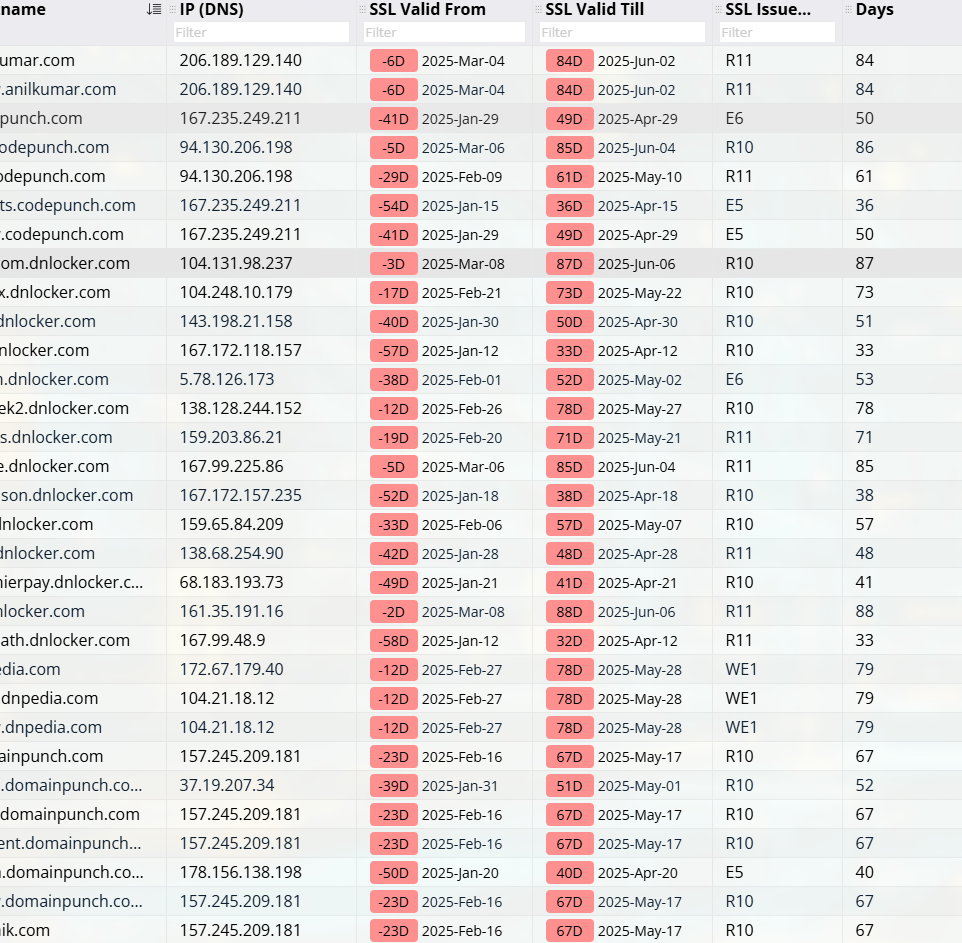
Watch My Domains SED helps you review common DNS and network information such as name servers, MX records, TXT records, SPF, DMARC, root and WWW IP addresses, and related record data.

It also supports SSL/TLS certificate visibility so you can review certificate-related information along with the domain record instead of checking each site separately.

CAPABILITIES
Website Checks

Keep an Eye on Landing Pages and Website Signals

Useful for knowing what your domains resolve to and whether important sites need attention.

  • Landing Pages
  • Site Availability
  • Web Visibility Signals
  • Portfolio Review

Domains are not just registration records. They often point to websites, parked pages, redirects, client properties, or forgotten projects. Watch My Domains SED helps bring those practical website details into the same domain oversight workflow.

This makes it easier to spot domains that need review, follow-up, renewal decisions, or cleanup.

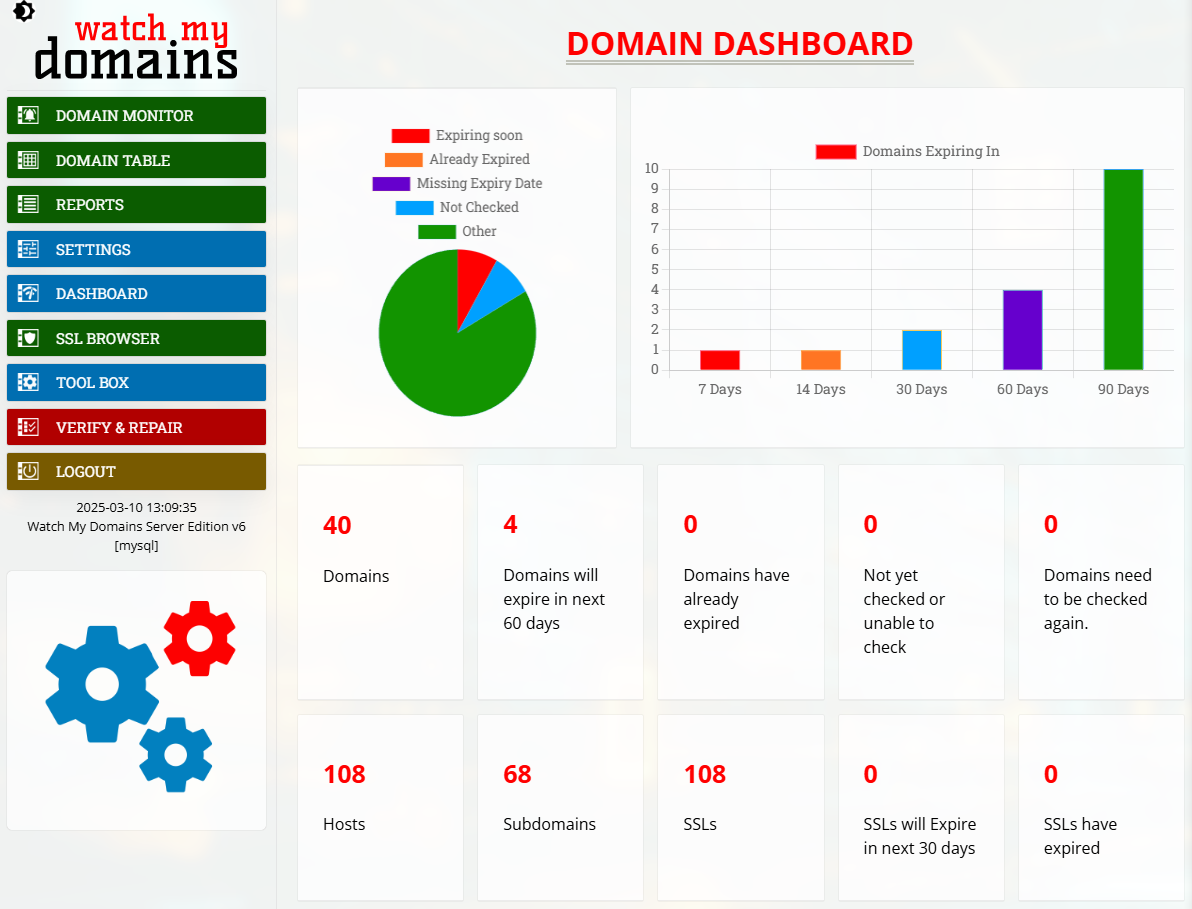
Domain Dashboard
CAPABILITIES
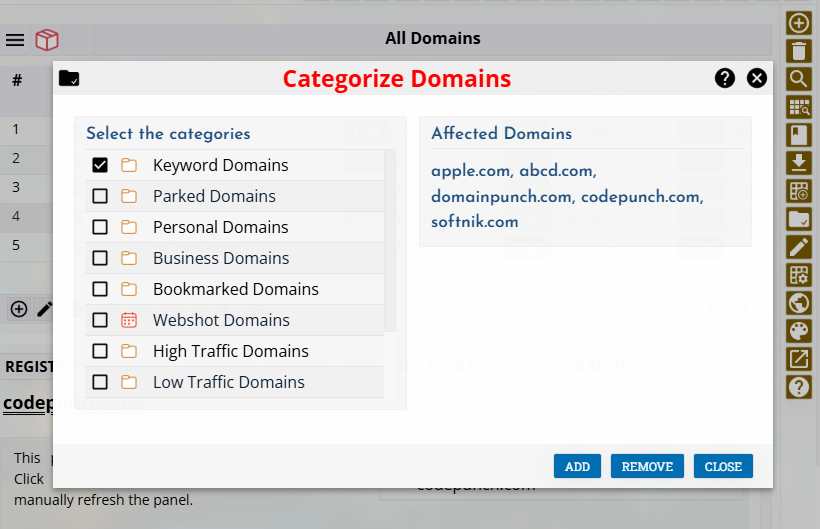
Domain Categories
Organization

Organize Domains by Client, Project, Site, or Purpose

Keep small and growing portfolios manageable as the number of domains increases.

  • Categories
  • Client Groups
  • Project Groups
  • Custom Fields

Use categories and custom data fields to group domains in ways that match your workflow. Agencies can group by client, businesses can group by brand or project, and individual owners can separate active sites from parking, redirects, tests, or future projects.

This keeps the product useful even as your portfolio grows beyond what is comfortable to manage in a simple spreadsheet.

CAPABILITIES
Deployment

Self-Hosted Domain Monitoring You Can Run Yourself

Install Watch My Domains SED on your own server and review your domain data through a browser.

  • Self-Hosted
  • Browser-Based
  • Local Control
  • Evaluation Available

Basic and Standard editions are suitable when you want to keep the system under your own control and use it through a browser. You can evaluate the product on your own server before deciding whether it fits your workflow.

If you later need managed hosting, SSO, more database options, or deeper enterprise support, you can review the other editions and move up when needed. Standard is available when you want multiple user accounts with different access rights.

CAPABILITIES
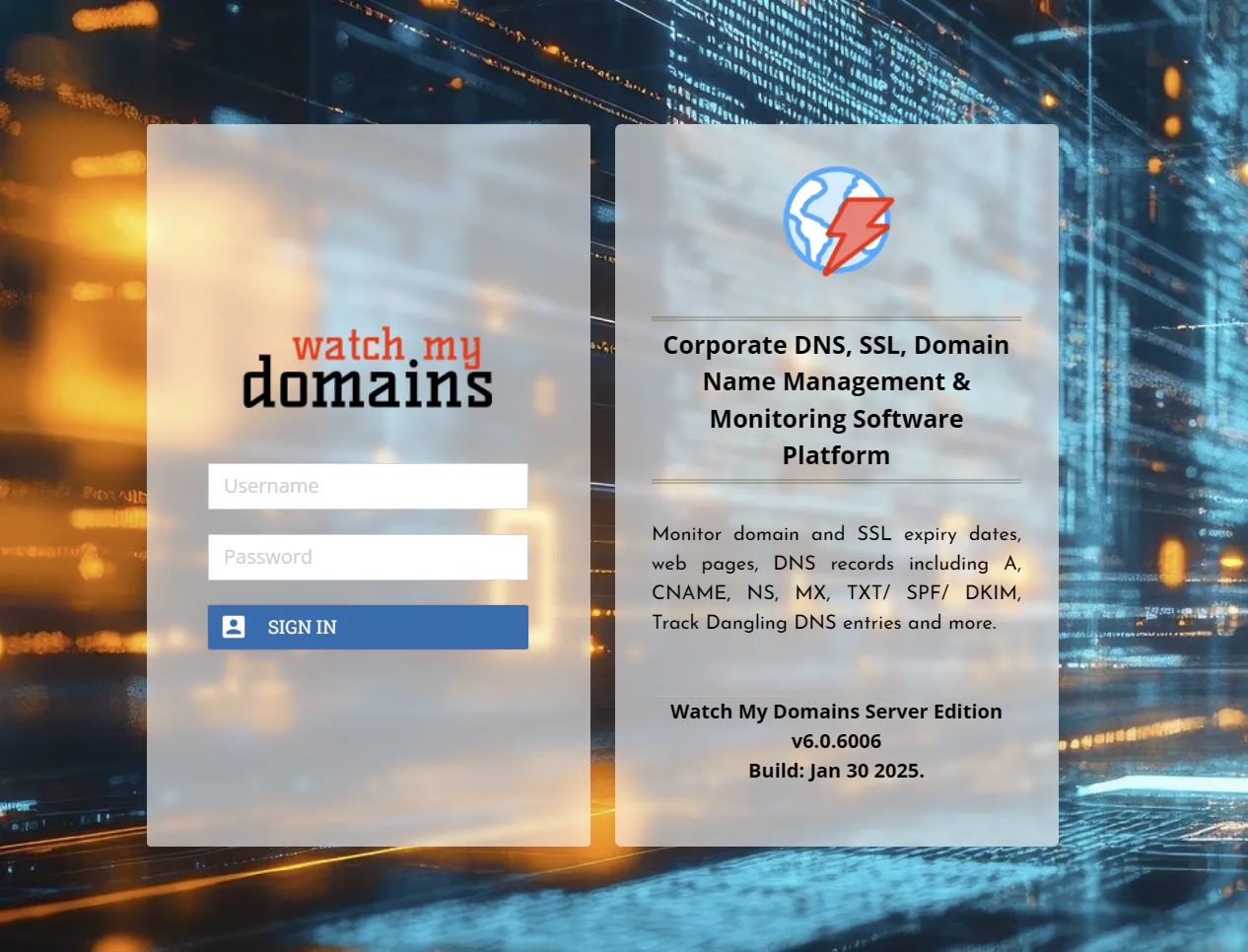
Login Screen
Upgrade Path

Start Simple and Move Up When Your Requirements Grow

Basic and Standard are practical starting points. Higher editions are available when you need more operational control.

  • Basic
  • Standard
  • Professional
  • Enterprise

Many users only need straightforward monitoring and visibility. Basic and Standard editions keep the message simple and focused on the common daily problems of managing domains.

Standard adds the ability to create multiple user accounts with different access rights. As your needs grow further, higher editions can add capabilities such as advanced database support, managed deployment options, SSO, and enterprise customization.

CAPABILITIES

Try Watch My Domains SED

Install Watch My Domains SED and review your own domains, DNS records, SSL/TLS details, landing pages, and related website information.

Need More Team or Enterprise Features?

Compare Basic, Standard, Professional, and Enterprise editions to choose the right level for your portfolio, users, and deployment needs.

Close