DomainPunch Logo
   A Service of Softnik Technologies

Domain Name Analyzer Desktop

Domain Name Research Software for Windows and macOS

Research domain names locally on your own computer. Clean lists, generate ideas, check candidate availability, analyze domains, and keep your results in desktop project files.

Built for domain investors, website owners, agencies, developers, consultants, and small businesses that want practical domain research without depending on an online third-party site.

  • Free Basic Edition
  • Local Desktop Research
  • Domain List Cleaner
  • Domain Ideas
  • Availability Checks
  • Domain Analysis
  • Windows and macOS
  • Since 1999

Domain Name Analyzer Basic is free to download and use. Domain Name Analyzer was long known as Windows desktop software, and version 7 now brings the local desktop research workflow to both Windows and Apple Silicon Macs.

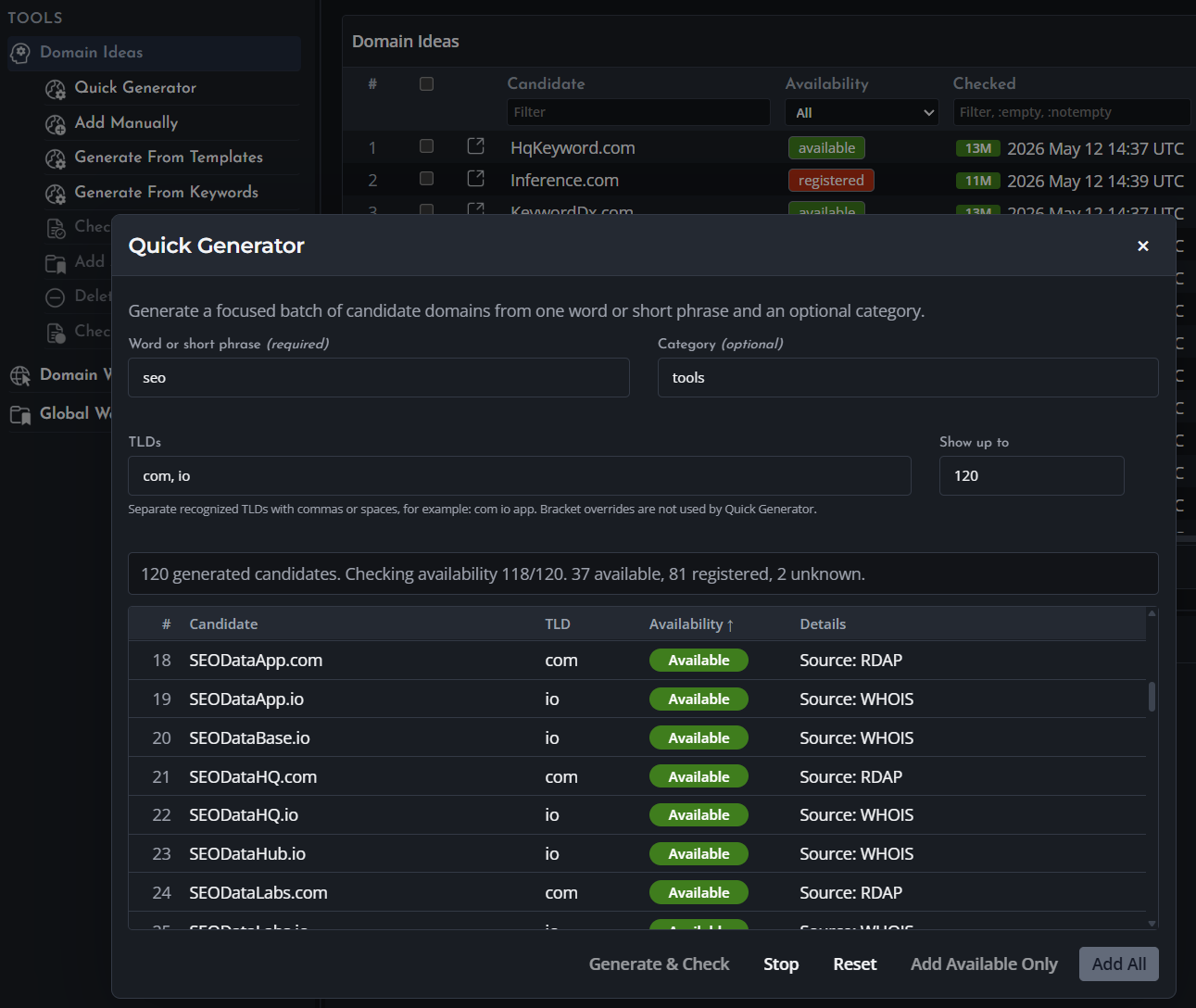
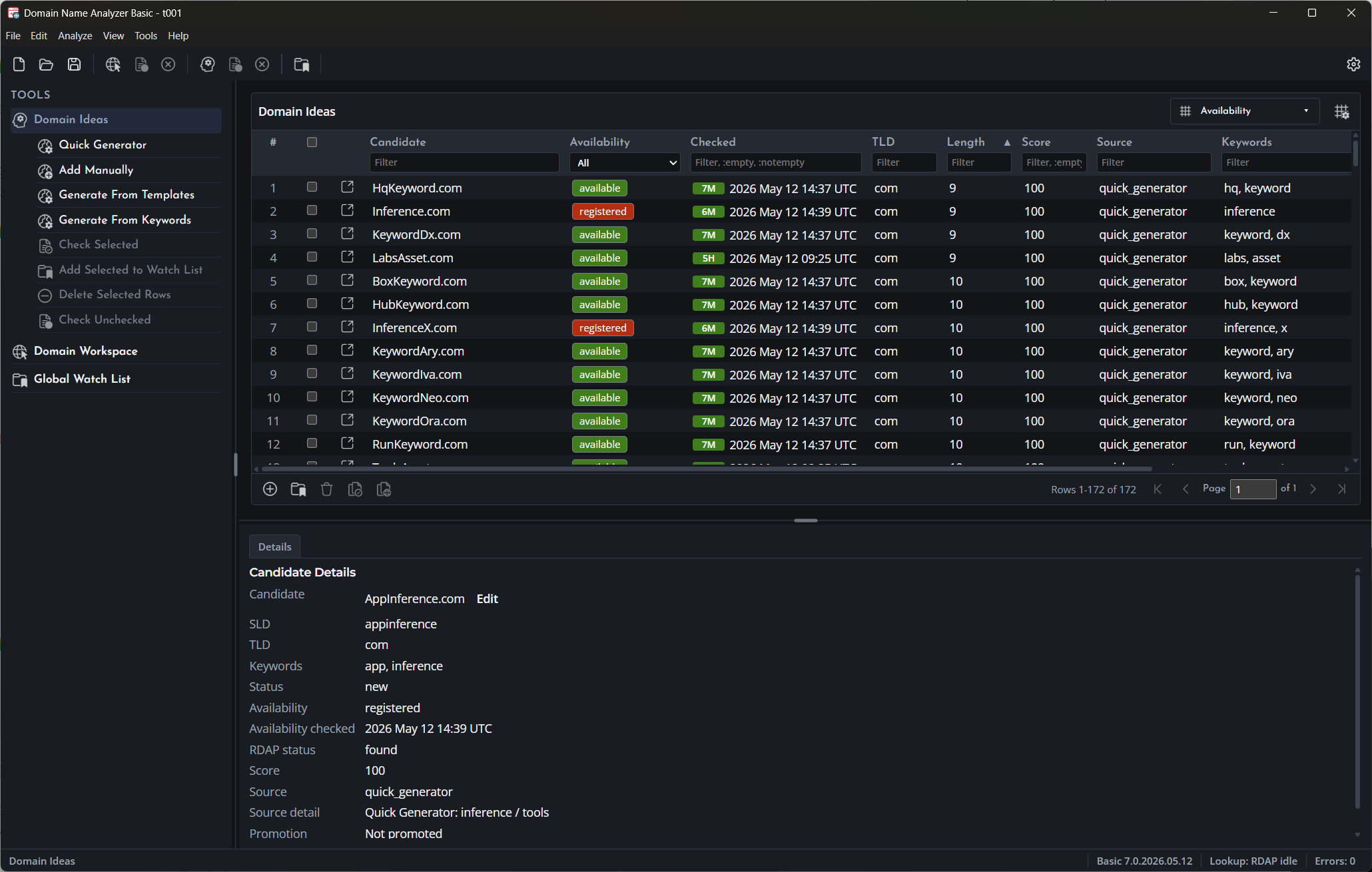
Screenshot of Domain Name Analyzer Basic Domain Ideas

Clean Lists, Generate Ideas, Check Availability, Analyze Domains, and Keep Results Locally

Made for practical local desktop domain research.

Download

Feature Highlights

  • Clean Messy Domain Lists Paste domains, URLs, emails, spreadsheet text, or registrar exports and turn mixed input into a clean domain list.
  • Find Domain Ideas Brainstorm candidate names using manual entry, keyword combinations, character templates, and quick generation tools.
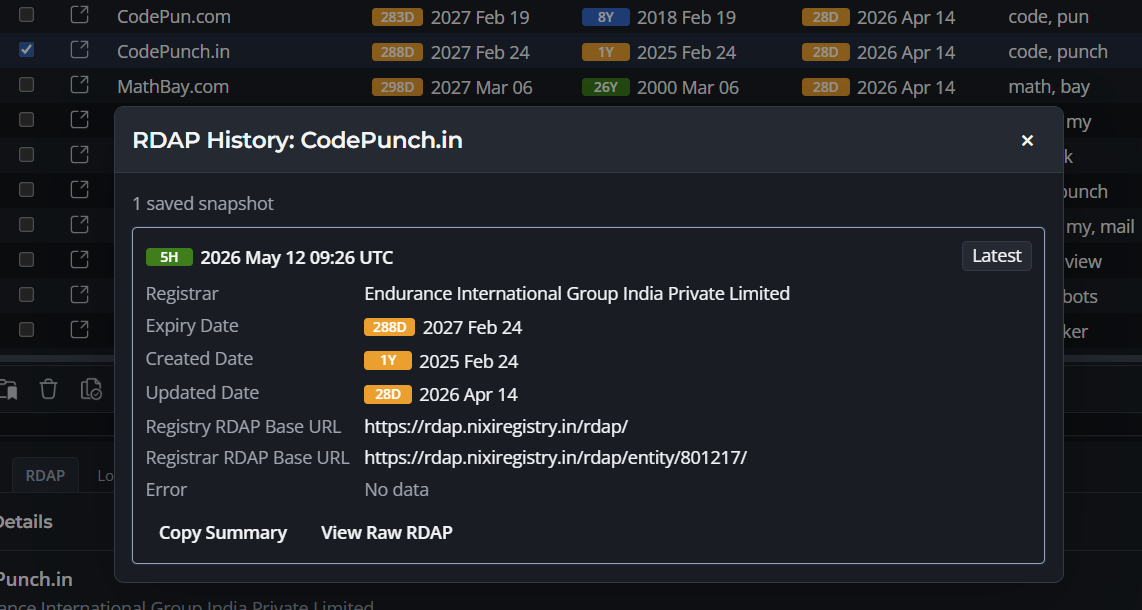
  • Check Availability Signals Use RDAP and WHOIS-based lookups to help narrow candidate lists before doing final registrar review.
  • Analyze Candidate Domains Review useful domain signals and save analysis results as part of your local research workflow.
  • Research on Your Own Computer Work locally, save your results, and avoid depending on an online third-party site for your research records.
  • Keep a Global Watch List Maintain an app-wide list of important domains you want to revisit across research projects.

A Focused Desktop Application for Domain Name Research

Domain Name Analyzer Desktop helps you move from rough domain text to cleaner, more useful domain research. It is made for people who regularly collect, test, compare, analyze, and organize domain names before making registration, acquisition, renewal, or cleanup decisions.

Use it to clean imported names, generate candidate ideas, check availability signals, analyze selected domains, save research projects, and keep a lightweight watch list of domains that matter. It is intended for focused desktop research, not as an online service or a large portfolio management system.

Domain Name Analyzer Desktop is designed to remain desktop software. You can do your research locally, save the results on your own computer, and keep working without moving your research workflow into an online third-party site.

The Basic edition is free. The Business edition is for users who need more capacity and a fuller research feature set.

List
Cleaning
Domain
Ideas
Availability
Checks
Domain
Analysis
Local
Files
Watch
List

Download

Install the desktop app and start cleaning, generating, checking, analyzing, and organizing domain names locally.

Clean a Domain List

Turn rough input from URLs, emails, spreadsheet columns, and notes into a clean working list.

Generate Domain Ideas

Create candidate names from keywords, templates, categories, and TLD selections.

Free Basic Edition

Choose the Download for Your Computer

Domain Name Analyzer Desktop Basic v7 is available as a free desktop download for Windows PCs and Apple Silicon Macs.

  • Windows
  • Apple Silicon Mac
  • Free Basic Edition
  • Local Desktop App

Download the installer that matches your computer. Use the Windows download for Windows 10 or Windows 11 PCs. Use the Mac download only for Apple Silicon Macs. Earlier Domain Name Analyzer releases were Windows-only; version 7 supports both of these current desktop platforms.

The Basic edition is free to download and use. It is designed for focused domain research projects, with local project files and up to 50 saved Domain Analysis results. The Business edition download is expected in mid June.

Windows Download

For Windows 10 and Windows 11 desktop computers.

Download for Windows

Apple Silicon Mac Download

For Macs with Apple Silicon processors.

Download for Apple Silicon Mac

CAPABILITIES
Audience

For Domain Investors, Website Owners, Developers, Agencies, and Small Businesses

A desktop research tool with a free edition for people who need practical domain name research.

  • Domain Investors
  • Website Owners
  • Web Developers
  • Agencies
  • Small Businesses

Domain Name Analyzer Desktop is useful when you have names scattered across notes, spreadsheets, client emails, registrar exports, web pages, or brainstorming sessions and want to turn them into organized research records.

It is designed for focused research jobs: cleaning imported lists, comparing name ideas, checking candidate signals, preparing client shortlists, analyzing selected domains, and keeping important names organized without using a full portfolio management system.

Domain Name Analyzer Basic research screen
CAPABILITIES
Domain List Cleaner
List Cleaning

Turn Messy Text Into a Clean Domain List

Extract domain names from mixed input and move clean results into your local research workflow.

  • URLs
  • Emails
  • Plain Text
  • Deduplication

Paste domains, URLs, email addresses, spreadsheet columns, registrar exports, reports, web-page text, or rough notes into the app. Domain Name Analyzer extracts domain names, normalizes case, strips extra URL parts, removes duplicates, and validates the results.

This is useful when you receive a rough list from a client, copy names from several sources, or need to prepare a clean domain list before checking, analyzing, sorting, copying, or exporting it.

CAPABILITIES
Domain Ideas

Generate and Shortlist Domain Name Ideas

Use multiple idea-entry and generation workflows before moving selected names into closer review.

  • Manual Ideas
  • Keyword Generation
  • Templates
  • Quick Generator

The Domain Ideas area helps you brainstorm and compare candidate names. You can add ideas manually, generate names from keywords, create names from character templates, and use the Quick Generator to combine a word, category, and TLD list.

Candidate names stay separate from selected project domains until you decide which ones are worth checking, analyzing, or saving for later review.

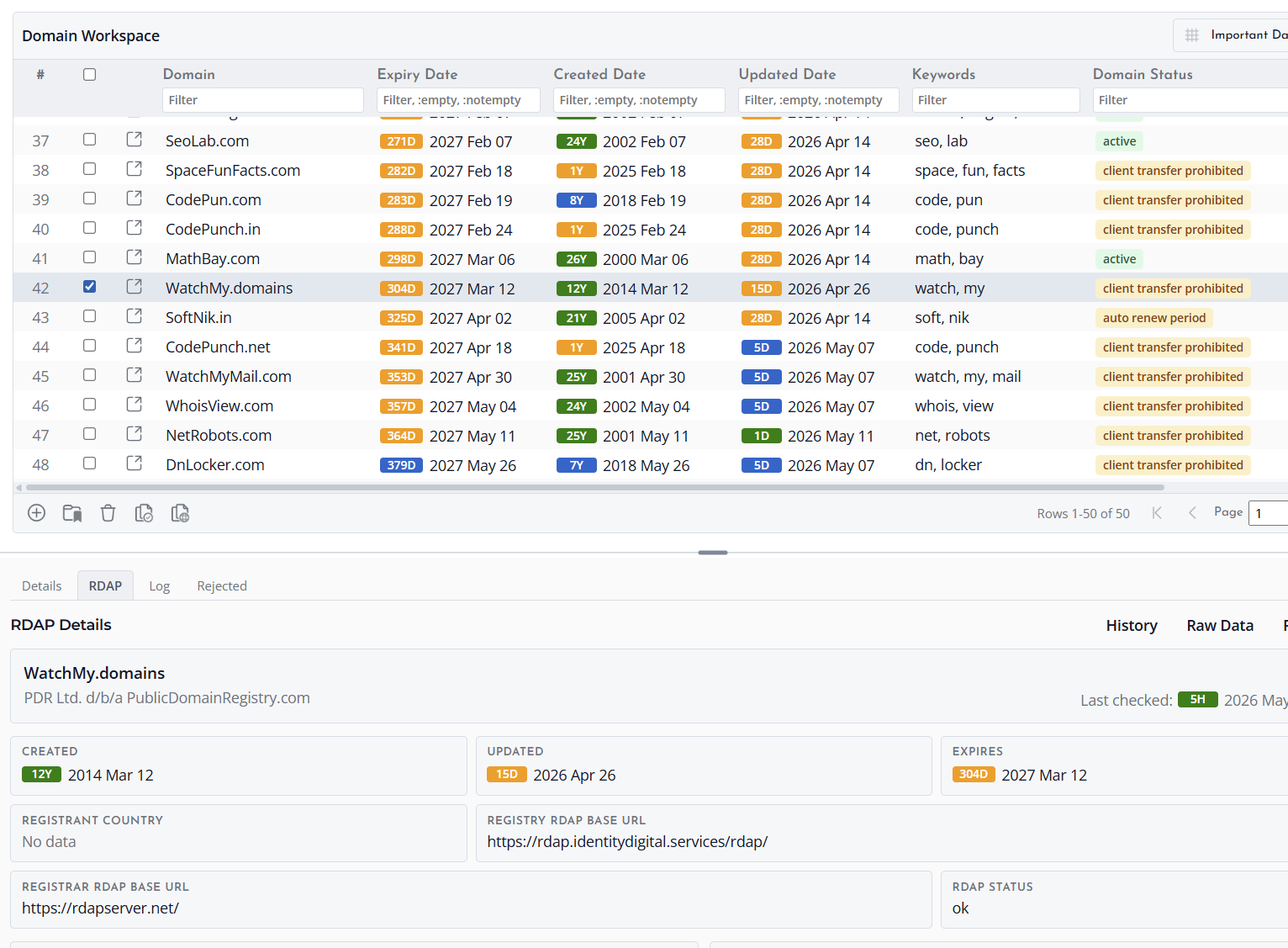
Domain Ideas
CAPABILITIES
Availability Checks
Availability Checks

Narrow Candidate Lists With RDAP and WHOIS-Based Checks

Check candidate names and separate promising results from names that need more review.

  • RDAP
  • WHOIS Fallback
  • Registered
  • Unregistered
  • Lookup Errors

Run availability checks for candidate domains using RDAP, with WHOIS fallback where needed. Results help distinguish registered names, unregistered names, unknown results, and lookup errors.

Availability checks are meant to help narrow a brainstormed list and identify names that deserve closer manual review at your registrar before purchase decisions.

CAPABILITIES
Domain Analysis

Analyze Domains and Save Useful Research Results

Review candidate domains beyond basic availability and keep selected analysis results locally.

  • Saved Results
  • Candidate Review
  • Local Research
  • 50 Results in Basic

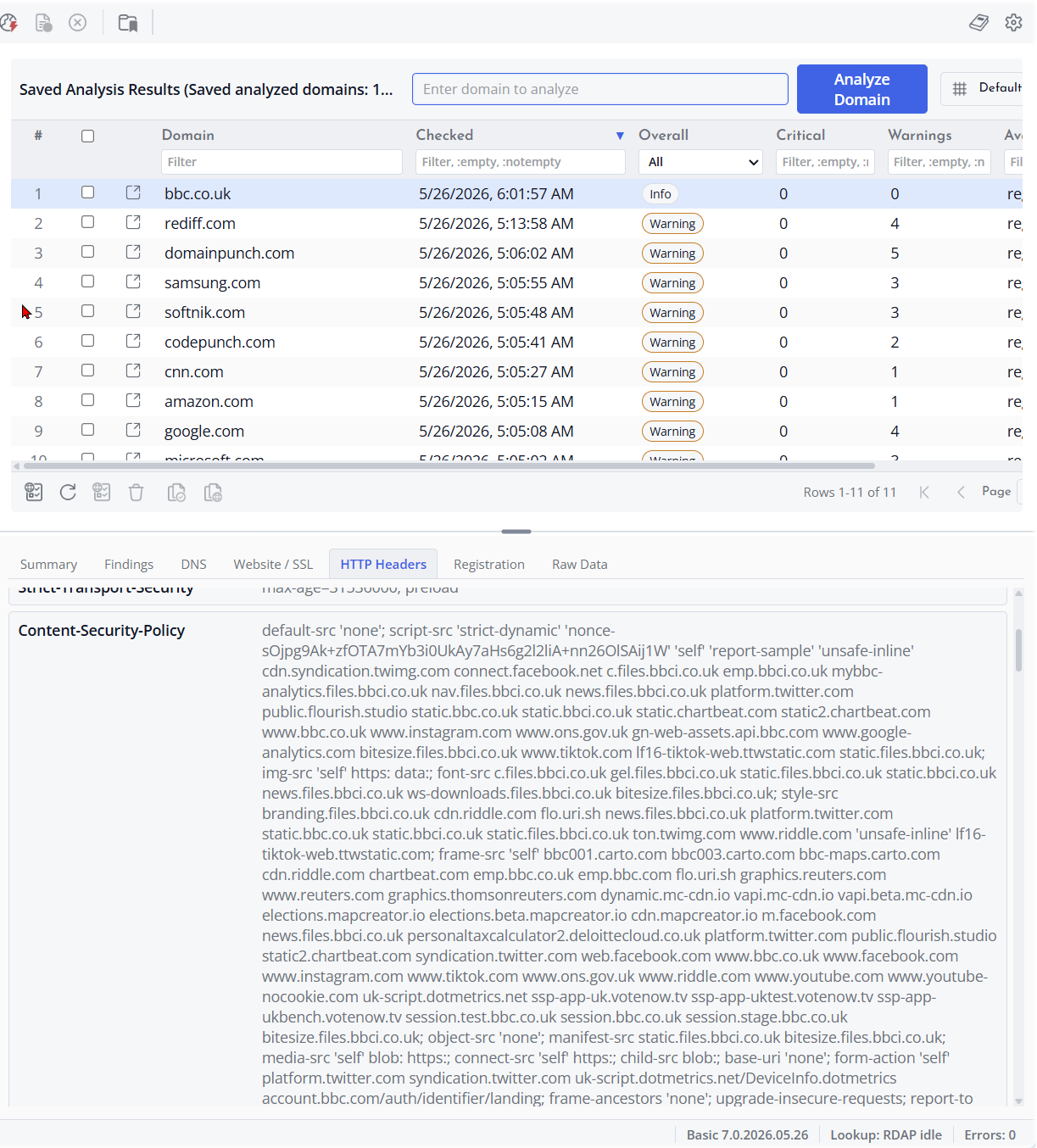
Domain Analysis helps you review selected domains using research signals that can support shortlisting and comparison. It is useful when you want to look beyond a raw list of names and keep the results that matter for later review.

In the Basic edition, saved Domain Analysis results can include up to 50 analyzed domains. The Business edition removes this limit.

Domain Analysis results
CAPABILITIES
Local desktop domain research projects
Local Desktop Research

Do Domain Research Locally on Your Own Computer

Domain Name Analyzer Desktop is made for people who want to research, organize, save, and revisit their domain results locally.

  • Desktop Software
  • Local Files
  • Keep Your Results
  • Windows and macOS

Domain Name Analyzer was known for many years as Windows desktop software for domain research. Version 7 keeps that desktop-first approach and makes the current Domain Name Analyzer Desktop available for both Windows PCs and Apple Silicon Macs.

The application lets you clean lists, generate ideas, check candidate signals, analyze domains, and save results locally in desktop project files. You can build and keep your research on your own terms instead of relying on an online third-party site as your main workspace.

This local-first approach is one of the reasons many users liked the original Domain Name Analyzer: it gave them a practical way to work with domain names, keep the results, and return to them later from their own computer.

CAPABILITIES
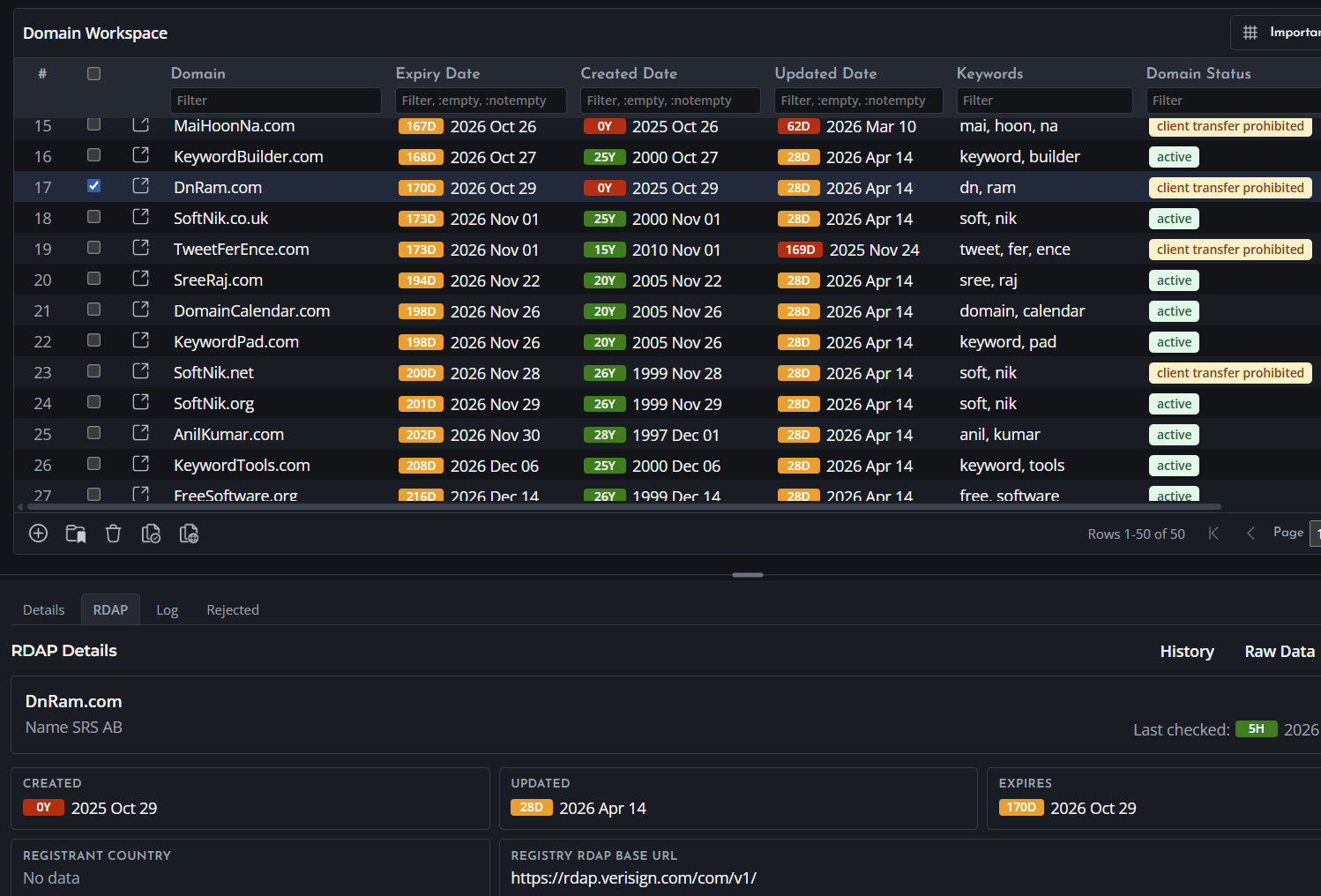
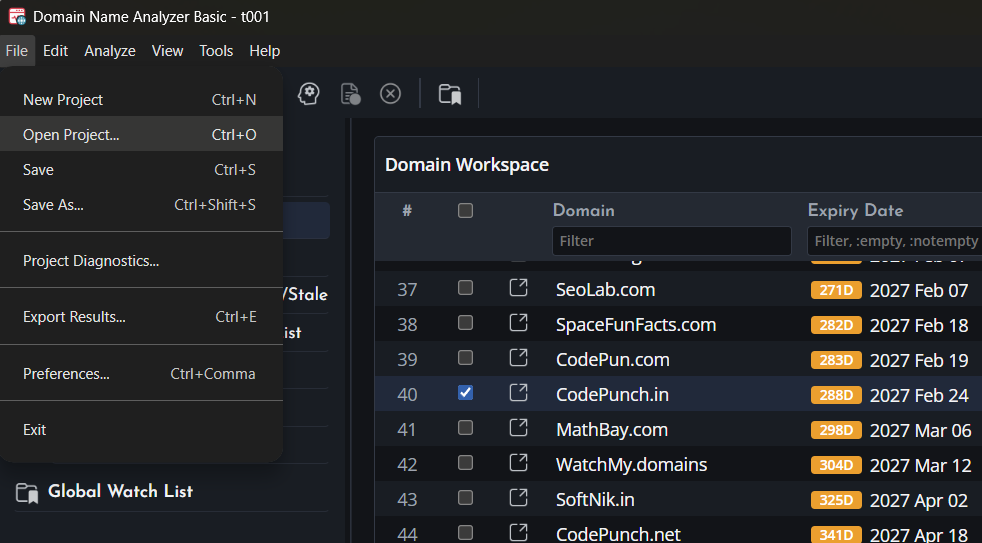
Domain Name Analyzer project review table
Project Review

Review Selected Domains in a Structured Project Table

Move selected names from rough input and idea lists into a local project table when you want to review them more closely.

  • Sort
  • Filter
  • Select Rows
  • Editable Notes

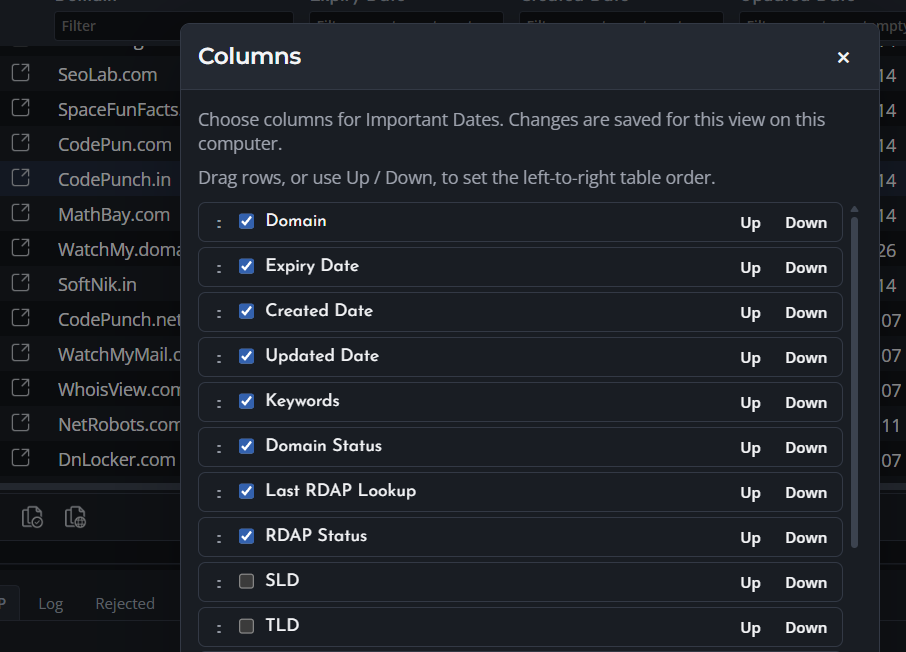
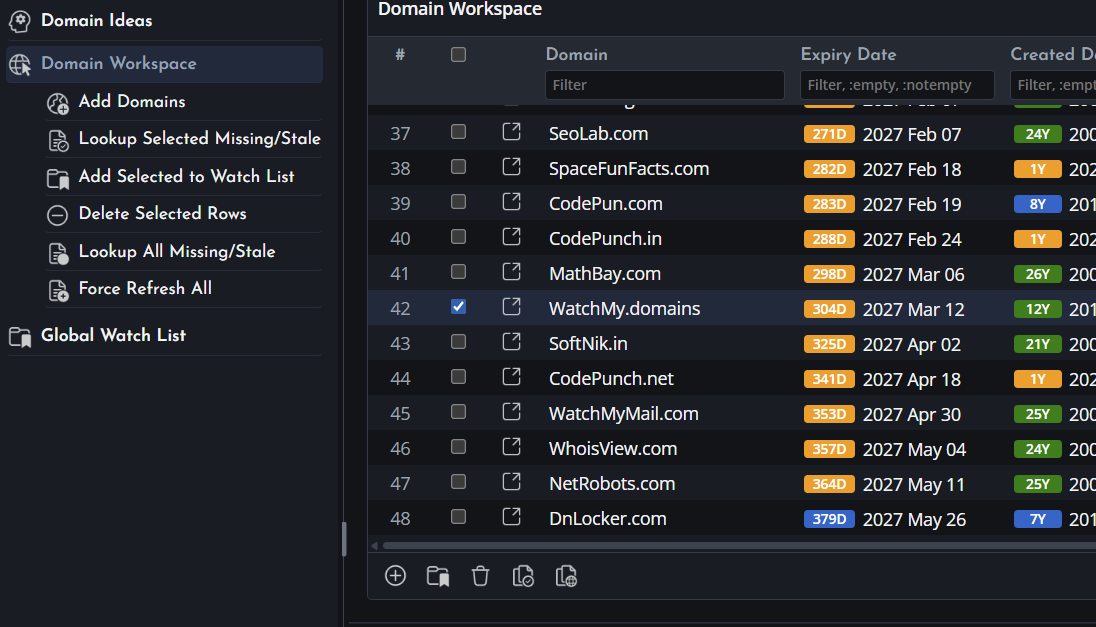
Domain Name Analyzer includes a structured project table for reviewing selected domains during research. In the Basic edition, this table supports up to 10 selected domains per project, making it best for focused shortlists and small research jobs. The Business edition removes this limit.

You can sort, filter, select rows, review domain details, and keep editable notes with your records. Use it to move from a rough list to a clean, organized set of names that is easier to review, compare, copy, and export.

This table is a useful research aid inside Domain Name Analyzer. For users whose main need is ongoing domain portfolio management, Watch My Domains Desktop is the dedicated product in the DomainPunch lineup.

CAPABILITIES
Global Watch List

Keep Important Domains Handy Across Research Projects

Maintain a lightweight app-wide list without turning every project into a full portfolio.

  • App-Wide List
  • Tags
  • Notes
  • Export

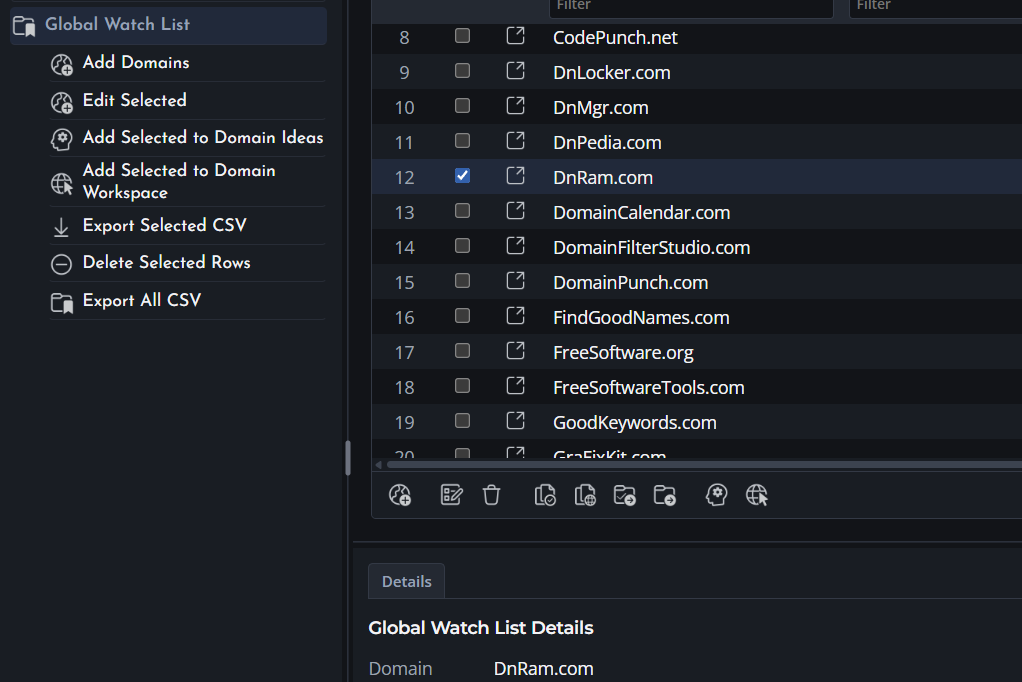
The Global Watch List is a separate app-wide list for domains you want to keep handy across research projects. It is useful for names you may revisit, monitor, compare, or move into a project later.

You can keep tags and notes, export the list, and move selected names into Domain Ideas or a local project when you want to work with them further.

CAPABILITIES
Since 1999

A Domain Research Tool With Roots Going Back to 1999

Domain Name Analyzer began as an independent free desktop domain research tool before later becoming part of the DomainPunch software lineup.

  • First Released in 1999
  • Free Basic Edition
  • Domain Research
  • Desktop Software

Domain Name Analyzer was first released in December 1999 through freesoftware.org and Free Software Tools as free software for personal and commercial use. It was originally created to help users generate domain names from keywords, check availability, and keep research results locally at a time when domain research tools were still limited.

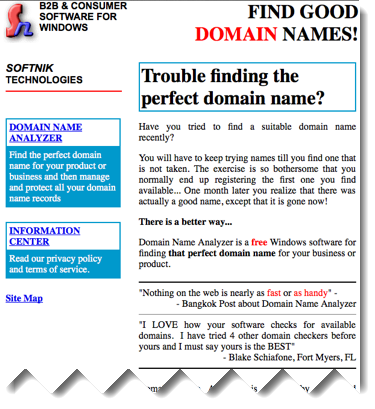
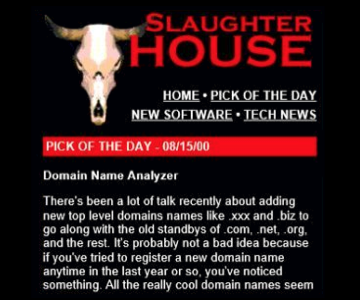
The tool found an early audience across many of the popular Windows software directories of the era and caught the attention of the press. The two examples shown here are highlights from a much wider range of coverage at the time.

The Basic edition continues that free-to-use tradition. Domain Name Analyzer Basic will always be free, making it a practical starting point for anyone who needs domain list cleaning, domain idea generation, availability checks, domain analysis, local desktop projects, and watch-list based research.

Softnik Technologies website circa 2000, showing the Bangkok Post quote and early user feedback for Domain Name Analyzer

The Softnik Technologies product page circa 2000, featuring a Bangkok Post quote and an early user testimonial. Domain Name Analyzer was described as the fastest and handiest tool of its kind on the web.


Domain Name Analyzer pick of the day at Slaughter House, August 15 2000

Pick of the day on August 15, 2000 at Slaughter House - a software download site owned by Andover.Net, which also owned Slashdot at the time. Slaughter House has since shut down, but in 2000 it was a well-read destination for Windows software discovery, making a pick of the day a meaningful endorsement.

CAPABILITIES
Domain project review in Domain Name Analyzer
Product Fit

Domain Research or Portfolio Management?

Two focused desktop products for two different jobs. Here is how to choose the right one.

  • Domain Research
  • Portfolio Management
  • Desktop Software
  • Product Fit

Choose Domain Name Analyzer Desktop when your main goal is domain research: cleaning lists, generating name ideas, checking availability signals, analyzing candidate domains, and saving focused research projects locally.

Choose Watch My Domains Desktop when your main goal is ongoing domain portfolio management. Watch My Domains Desktop is built for users who need a richer management workspace for larger sets of owned or tracked domains.

Start with the free Basic edition for focused research projects. Move to Business when you need more capacity and a fuller research feature set.

CAPABILITIES
Domain Name Analyzer Basic
Free Basic Edition

Basic Is Free and Feature-Rich

Basic is named Basic because it is the free edition, not because it is a minimal tool.

  • Free Download
  • Always Free
  • No License Required
  • 50 Saved Analysis Results
  • Local Desktop App

Domain Name Analyzer Basic is free to download and use, and the Basic edition will remain free. It is meant for users who want a clean, focused desktop toolset for domain name research without setting up a server or team system.

Basic includes a substantial set of research tools: list cleaning, Domain Ideas, availability checks, Domain Analysis, saved project files, a Global Watch List, and a project review table for up to 10 selected domains. Although it carries the Basic name, the feature set is anything but minimal.

Domain Name Analyzer Business is for users who need the broader Domain Name Analyzer research feature set with fewer capacity limits.

CAPABILITIES

Download Domain Name Analyzer

Start with the free Basic edition. Install the desktop app and start cleaning domain lists, generating candidate names, checking availability signals, analyzing domains, and saving focused research locally.

Basic and Business Editions

The Basic edition is free. The Business edition is expected in mid June and is for users who need more capacity and a fuller research feature set.

Close